
Key Highlights
- Learn how to create and set up a professional LinkedIn profile from scratch.
- Understand how LinkedIn works and how to use it for job searching and career growth.
- Learn how to find and apply for jobs online through LinkedIn.
- Understand what a job application means and how to fill out a work application correctly.
- Discover practical ways to use LinkedIn to find opportunities in the hidden job market.
- Learn what employers look for before inviting candidates to an interview.
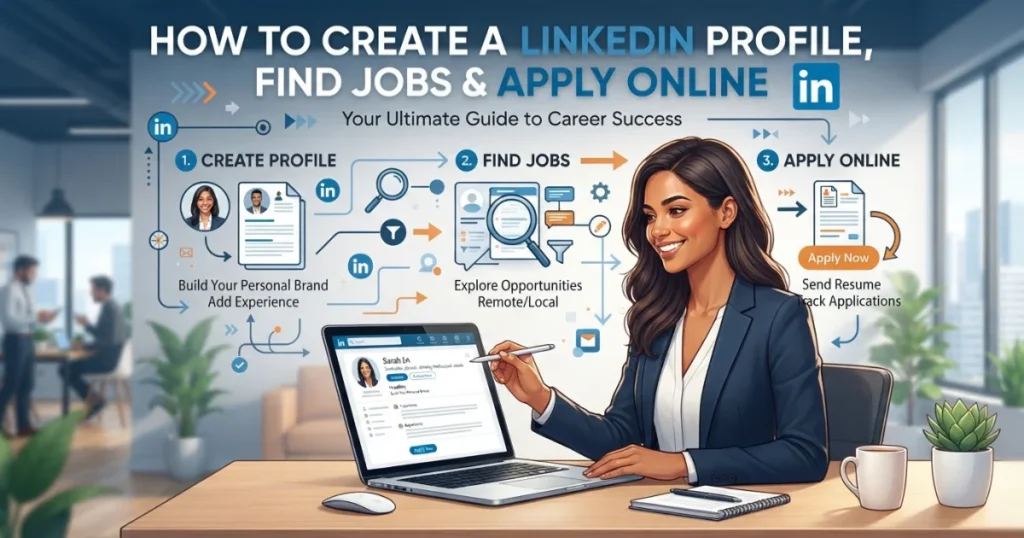
LinkedIn is no longer just an online place to upload your CV. It has become one of the most useful professional networking platforms for students, fresh graduates, job seekers, freelancers, business owners, and experienced professionals.
If you are new to LinkedIn, the platform can initially feel confusing. You may wonder how to create a LinkedIn profile, what information to add, how to find suitable jobs, or how to actually apply for a position. The good news is that you do not need advanced technical skills to use LinkedIn effectively.
This LinkedIn tutorial for beginners explains the process step by step, from creating your profile to finding and applying for jobs online. It also explains how LinkedIn networking works and how you can use the platform to discover opportunities that may never appear on traditional job boards.
What Is LinkedIn and How Does It Work?
LinkedIn is a professional networking platform where people create professional profiles, connect with other professionals, follow companies, share industry-related content, search for jobs, and communicate with recruiters.
Think of your LinkedIn profile as an online professional identity. Instead of sending your CV to every person you meet, you can build a profile that allows recruiters and employers to understand your skills, education, experience, and career interests.
LinkedIn can be useful for several purposes:
- Finding jobs
- Building professional connections
- Following companies
- Contacting recruiters
- Promoting professional skills
- Finding freelance opportunities
- Learning about industries
- Building a personal brand
- Discovering career opportunities
One mistake beginners often make is treating LinkedIn exactly like Facebook. LinkedIn is a professional network, so your profile, posts, comments, photographs, and interactions should support the professional image you want employers to see.
How to Create a LinkedIn Profile
Creating a LinkedIn profile is relatively simple, but completing it properly requires more attention.
Start by creating an account using your email address and then enter your basic information. After that, LinkedIn will ask you to provide information about your education, employment history, skills, location, and professional interests.
Your profile should not look like an empty social media account. The more relevant information you provide, the easier it becomes for recruiters and other professionals to understand what you can offer.
Choose a Professional Profile Photo
Your profile photograph is one of the first things people notice.
You do not necessarily need an expensive professional photoshoot. A clear, recent photograph with good lighting and a simple background can work well.
Avoid:
- Blurry photographs
- Group photographs
- Party photographs
- Heavily edited pictures
- Distracting backgrounds
- Unprofessional poses
The goal is simple: make it easy for someone to recognize you as a professional.
Write a Strong LinkedIn Headline
Your headline appears directly below your name and is one of the most important parts of your profile.
Do not simply write:
“Job Seeker”
Instead, describe your professional direction.
For example:
Digital Marketing Graduate | SEO Learner | Content Writing | Social Media Marketing
A good headline tells people what you do, what you are interested in, or what professional value you can provide.
Write an Effective About Section
The About section gives you more space to explain your professional background.
A beginner can include:
- Educational background
- Main skills
- Areas of interest
- Projects
- Career goals
- Relevant achievements
- Type of opportunities being pursued
Do not turn this section into a collection of meaningless keywords. Write naturally and explain what you actually know and can do.
For example, instead of writing:
“SEO, marketing, social media, content, digital marketing, SEO expert.”
You could write:
“I am developing my skills in digital marketing with a particular interest in SEO, content strategy and social media marketing. I enjoy learning how websites attract organic traffic and how useful content can help businesses reach the right audience.”
That sounds more human and gives recruiters useful context.
How to Build a LinkedIn Profile With No Work Experience
Many students and fresh graduates think they cannot create a good LinkedIn profile because they have never had a full-time job.
That is not true.
You can include:
- University projects
- Internships
- Volunteer work
- Freelance projects
- Personal projects
- Certifications
- Relevant courses
- Academic achievements
- Skills
- Portfolio work
For example, if you created a website as a personal project, you can describe what you built, which technologies or platforms you used, and what you learned.
The important thing is not to invent experience. Present genuine projects and learning experiences professionally.
How to Use LinkedIn for Job Searching
Once your profile is ready, you can start searching for jobs.
Use the LinkedIn Jobs section and enter a job title, skill, company, or keyword related to the position you want.
For example, you might search for:
- Digital Marketing Intern
- SEO Executive
- Content Writer
- Graphic Designer
- Customer Support Representative
- Software Developer
- Data Entry Specialist
You can also narrow the results using filters such as location, experience level, job type, and date posted.
Do Not Apply to Every Job
This is one of the biggest mistakes beginners make.
If you apply for 50 completely unrelated jobs using the same CV, you may receive fewer useful results than someone who carefully applies for 10 relevant positions.
Before applying, check:
- Job title
- Required skills
- Experience requirements
- Educational requirements
- Location
- Employment type
- Application instructions
- Company information
Then decide whether the position genuinely matches your background.
What Is a Job Application?
A job application is a formal request from a person who wants to be considered for a particular job.
A typical job application may ask for:
- Full name
- Contact information
- Education
- Employment history
- Skills
- Certifications
- References
- CV or resume
- Cover letter
- Availability
- Salary expectations
Some applications are very short, while others require detailed information.
Understanding the job application definition is important because applying for a job is not simply uploading a CV. Employers may use the application to compare your qualifications with the requirements of the position.
How to Apply for a Job Online
The exact application process depends on the employer.
On LinkedIn, you may see options such as Easy Apply or an option that takes you to the company’s website.
Applying Through LinkedIn Easy Apply
If a position supports Easy Apply, you may be able to submit your application directly through LinkedIn.
The process generally involves:
- Open the job advertisement.
- Read the complete description.
- Check the required qualifications.
- Click the application button.
- Upload your CV if requested.
- Answer the required questions.
- Review your information.
- Submit the application.
Easy Apply is convenient, but convenience does not mean you should apply without reading the job description.
Applying Through a Company’s Website
Some employers send applicants to their own careers page.
In this situation, you may need to create an account on the company’s recruitment system and complete a longer application.
You might have to enter information that already appears on your CV.
Take your time. A rushed application can contain spelling mistakes, incorrect dates, missing information, or inconsistent employment history.
How to Fill Out a Job Application
Learning how to fill out a job application correctly can make a significant difference.
Always provide accurate information.
When entering your employment history, keep dates consistent with your CV and LinkedIn profile.
For education, provide the correct institution, degree, field of study, and relevant dates.
When an application asks about skills, focus on skills that are relevant to the position instead of listing everything you have ever learned.
If a question does not apply to you, follow the application’s instructions rather than entering random information.
What If You Have No Previous Job?
Do not create fake employment history.
If you have no formal work experience, focus on education, internships, volunteer work, projects, certifications, freelance work, and transferable skills.
For example, a university project can demonstrate research, communication, teamwork, analysis, presentation, or technical skills.
Employers understand that entry-level candidates may not have years of experience.
What Will Help You Prepare to Apply for a Job?
Preparation should begin before you click the application button.
Keep these things ready:
- Updated CV
- LinkedIn profile
- Professional email address
- List of qualifications
- Employment dates
- Education details
- Relevant certifications
- Portfolio or work samples
- References, if required
It is also useful to create different versions of your CV for different types of positions.
For example, a CV targeted at an SEO position should emphasize SEO, content, analytics, keyword research, and relevant projects rather than unrelated skills.
How to Use LinkedIn to Find the Hidden Job Market
Not every job opportunity is publicly advertised.
This is often called the hidden job market.
Companies may find candidates through employee referrals, professional networks, recruiters, LinkedIn connections, industry communities, or direct recommendations before a position receives significant public attention.
This is one reason networking matters.
Instead of only searching for jobs, build relationships with people working in your target industry.
You can:
- Follow relevant companies.
- Connect with professionals in your field.
- Engage with useful industry posts.
- Share your own professional knowledge.
- Participate in relevant discussions.
- Contact recruiters professionally.
- Join appropriate professional communities.
Do not immediately send strangers a message saying, “Give me a job.”
A better approach is to establish a professional connection first.
How Can I Use LinkedIn to Build Professional Connections?
LinkedIn networking works best when it is genuine.
Suppose you are interested in SEO. You can follow SEO professionals, agencies, recruiters, and companies working in digital marketing.
Read their posts and learn from their experiences.
When you have something useful to contribute, leave a meaningful comment.
Over time, people may begin to recognize your name and expertise.
This approach is much stronger than connecting with hundreds of random people and never interacting with them.
How to Use LinkedIn for Business
LinkedIn is also useful for businesses, freelancers, consultants, and service providers.
A business can use LinkedIn to:
- Promote its services
- Find employees
- Build industry relationships
- Publish company updates
- Generate leads
- Connect with potential customers
- Establish authority
For example, a freelance SEO professional can share practical SEO tips, case studies, project results, and lessons learned.
This type of content can demonstrate expertise without directly advertising a service in every post.
How LinkedIn Public Profiles Are Structured
A LinkedIn public profile normally contains several important sections.
These may include:
- Name
- Profile photo
- Headline
- About section
- Experience
- Education
- Skills
- Certifications
- Projects
- Recommendations
- Accomplishments
Not every person needs to complete every section immediately.
Start with the sections that best demonstrate your professional value and gradually improve the profile.
Your profile should also remain consistent with your CV. If your LinkedIn profile says you worked somewhere for three years while your CV says two years, recruiters may question the discrepancy.
How to Apply for a Position Successfully
Getting an application submitted is only the first step.
A stronger approach is to tailor your application to the position.
Read the job description and identify the main requirements.
For example, if the employer wants:
- SEO knowledge
- Keyword research
- Content optimization
- Google Search Console
- Analytics
then your CV and application should clearly demonstrate your experience with those areas if you genuinely have it.
Do not simply copy the entire job description into your CV.
Use the employer’s terminology naturally where it accurately describes your skills.
Common Job Application Mistakes to Avoid
Several mistakes repeatedly hurt job seekers.
Applying Without Reading the Job Description
If you do not understand the position, you cannot present yourself as a suitable candidate.
Sending the Same CV Everywhere
A generic CV may fail to highlight the skills that matter for a specific position.
Using an Unprofessional Email Address
Use a simple email address based on your name whenever possible.
Providing False Information
Never invent qualifications, experience, employers, or skills.
A false claim can create serious problems during an interview or background check.
Ignoring Spelling and Grammar
Small mistakes can make an application look careless.
Always review your application before submitting it.
Having an Empty LinkedIn Profile
If you are actively looking for professional opportunities, an incomplete profile can make your LinkedIn presence look unfinished.
LinkedIn Profile vs CV: What Is the Difference?
Your CV and LinkedIn profile serve similar purposes, but they are not identical.
A CV is a focused document that you normally customize for a specific job.
LinkedIn is a broader professional profile that can be discovered by recruiters, employers, clients, and other professionals.
Your CV might be two pages and highly targeted.
Your LinkedIn profile can provide a broader picture of your professional identity.
For this reason, maintaining both is important for modern job seekers.
How to Improve Your LinkedIn Profile
Do not think of creating a LinkedIn profile as a one-time task.
Your profile should evolve as your career develops.
You can improve it by:
- Adding new certifications
- Updating your skills
- Adding completed projects
- Improving your About section
- Updating your experience
- Collecting genuine recommendations
- Sharing useful professional content
- Connecting with relevant professionals
Even if you are currently unemployed, you can continue developing your professional presence.
Final Thoughts
Learning how to use LinkedIn is not difficult. The real challenge is using it strategically.
Start by creating a complete and honest LinkedIn profile. Make your headline clear, write a useful About section, add your education and skills, and include genuine projects or experience.
Then learn how to search for relevant positions instead of applying randomly. Before submitting an application, read the job description carefully, check the requirements, customize your CV when necessary, and make sure your information is accurate.
Most importantly, do not rely entirely on job advertisements. Build professional relationships, follow companies, communicate with people in your industry, and develop a visible professional presence. That is where LinkedIn becomes much more powerful than a simple job-search website.
For beginners, the best strategy is straightforward: build a strong profile, learn how to apply correctly, network consistently, and keep improving your professional skills.